Category: Data Storage

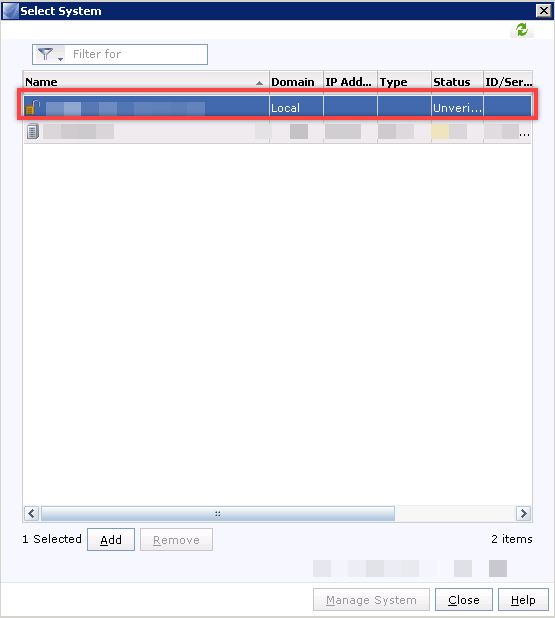
VNX Domain - Unverified Systems 2

VNX 2 Series: Best Solution to Remove Unverified Systems

VNX Storage arrays can be added to a domain for centralization logging and management for multiple storage arrays. Also Unisphere Central can be added to a VNX domain.

Sometimes, storage administrator makes mistake about adding or removing VNX storage arrays from VNX domain. As an example, administrator has to remove a VNX for send to repairing but forget removing storage array from domain. Another example, when there is multiple domains with multiple range of IP addresses, may be administrator add array to domain wrongly and after that, change IP and add to another domain.

In these situations, domains will contain some systems as unverified system, the unverified systems should verify again and otherwise should be removed.
EMC Unity 0

[Update]: EMC Unity Storage Systems – Drive and OE Compatibility Matrix (Feb 2018)

EMC Unity Drive and OE Compatibility Matrix EMC Unity storage systems supporting the below disk drives: Unity SAS Flash 2 Drives – For use in FAST Cache, FAST VP or all-Flash-pools Unity SAS Flash 3 Drives – For use in all-Flash-pools only Unity SAS Flash 4 Drives – For use in all-Flash-pools only Unity Spinning Drives To function properly drives installed in an EMC Unity storage system require that the array be running the minimum required revision of the Operating Environment (OE). EMC provides a document  which lists the drive part numbers supported for Unity storage systems and the minimum software revisions required for each drive model. Notes: The drive part number (PN) appears on a label on the front of the drive carrier. Note that although the OE GUI may display an alpha suffix at the end of the PN (like EFD) these characters are not part of the actual orderable PN. All drives listed in this document are RoHS compliant. Unity drive models use the following prefixes: D3 = AC storage D3FC = AC FAST cache D3AF = AC storage when used in All-Flash-Array (AFA) D3N = DC NEBS storage D3NFC = DC NEBS FAST Cache The following...

EMC VNX 1

[Update]: EMC VNX2 Storage Systems – Drive and OE Compatibility Matrix (Feb 2018)

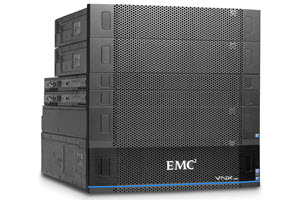
EMC VNX2 Drive and OE Compatibility Matrix The document will help you to know that the minimum compatibility between VNX storage system OE and disk drives. The supported part numbers and minimum version of software are listed. Before installing a new disk in a storage system, use the EMC Unisphere Manager to determine the VNX OE revision running on the storage system. In Unisphere Manager, the VNX OE revision appears on the Software tab of the Storage System Properties dialog box for the storage system. Note 1: Changes and additions in the tables since the last revision of this document are noted in red type. Note 2: The disk part number (PN) appears on a label on the front of the disk carrier. Note that although the OE GUI may display an alpha suffix at the end of the PN (like PWR or SSD) these characters are not part of the actual orderable PN. Note 3: PNs in tables with a ‘YES’ entry in the Spin-Down Support column may report a suffix of PWR through the OE GUI (EX: 005049278PWR). This PWR suffix is used by the OE and is not part of the actual orderable PN. Supported Disk Drives...