Category: Server Virtualization
vSAN ReadyNode are x86 servers, available from all the leading server vendors, that have been pre-configured, tested and certified for VMware Hyper-Converged Infrastructure Software. Each ReadyNodes is optimally configured for vSAN with the required amount of CPU, memory, network, I/O controllers and storage (SSDs, HDDs or flash devices).

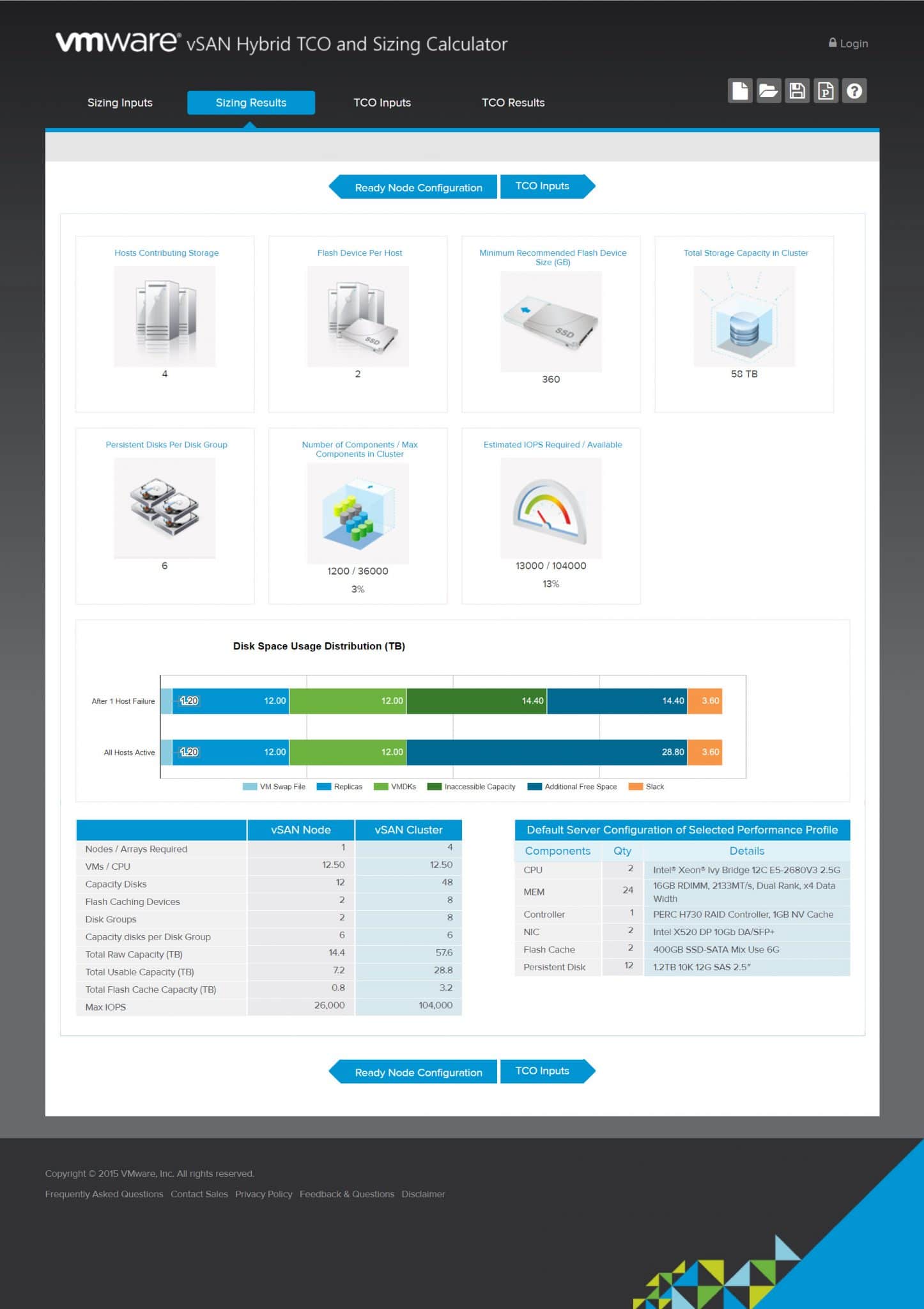
VMware vSAN Hybrid TCO and Sizing Calculator Virtual SAN or vSAN is a software-defined storage (Hyper Converged) for VMware vSphere environments. Main goal of sing vSAN in VMware vSphere environments, is reducing implementing cost. So calculating TCO and device sizing will help to achieve better results. As vSAN technology owner, VMware has provided an online tool for calculating TCO and sizing for vSAN. The online tool is very useful for IT administrator to find cost of vSAN implementation with different scenarios. The online tool has four different sections: Sizing Inputs: You should fill the sizing inputs form with some information about your environment. Sizing Results: The online tool will calculate results according to the sizing inputs and show the result on this section. TCO Input: You should enter required information for Total Cost of Ownership. TCO Results: According to the information, the tool will calculate and shows the result for TCO calculation. Sizing Inputs This section is using for enter virtualization environment specifications. You must specify the some important information for the online tool to calculating vSAN TCO and sizing. The online tool can calculate requirements according to virtualization platform, there is two platforms for calculations: Server Virtualization Desktop Virtualization The online...
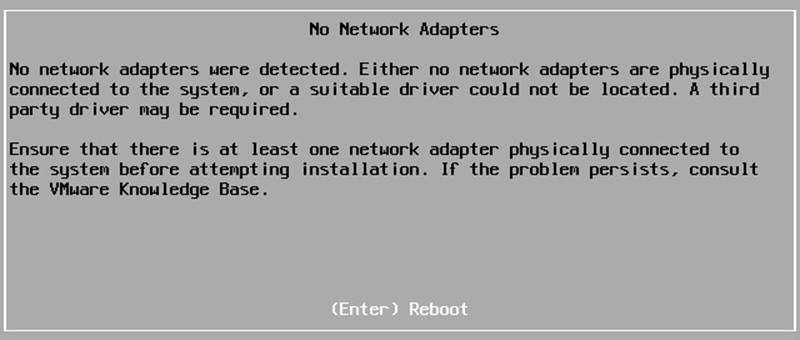
No network Adapter issue actually will be happened during installation, if the server has no adapter or the adapter driver is not loaded or the image is not contains of any compatible adapter driver, ESXi installer does stop installation and prompt
Controlling resource usage by the metrics, it’s a key to keep your virtual infrastructure up and optimized and also keep your customer happy. Veeam ONE alarm will help you to controlling the metrics and resources.
Before create the alarms, we should know why I/O is important to us? And what is impact of generating lot of I/O by virtual machines?
Veeam ONE Reporter Collection Job Veeam ONE Reporter collection job is a scheduled job to gathering virtual infrastructure information to providing reports for administrators about virtual infrastructure performance, issues and capacity planning. Sometimes, the job will be failed cause of some issues in the Veeam Reporter service and an error will indicate on Veeam ONE Monitor Client. Administrators should care about the issue because the error means that virtual infrastructure information is out of date and any report is unusable. Troubleshooting Step 1: At first step, checking “Veeam ONE Reporter Server” service is very important. Check the service and if it’s stopped, start the service and if it’s started , restart the service and run “Object Properties Collection Task” from Veeam ONE Reporter portal. Wait to job is completed and if issue not resolve go to the next step. Step 2: If stop/start the service didn’t resolve issue, restarting the server is second solution because of OS issues. Run “Object Properties Collection Task” from Veeam ONE Reporter portal, wait to job is completed and if issue not resolve go to the next step. Step 3: If step 1 and step 2 didn’t help to resolve issue, the monitor user permission...