Category: Script

PowerCLI 4

PowerCLI: Best Solution to Add Local Administrator Account on ESXi 5.x and Newer

The is some reason to have local user on ESXi servers even when there is vCenter server for management such as vCenter is inaccessible. You can use root user for doing operations on ESXi directly but some times, you have to ask someone to do the operations and then you will not have any tacking and all operation will be done by root user. So create user for trusted colleagues will help you to manage ESXi and track each user about what has he done. User creation is too easy, you can create users via vSphere Client (C# Client or Web Client) or by run some scripts. PowerCLI is automation tools for VMware products and you can use it for create more than one users by run few lines of script. The PowerCLI Script! You can use the below script for create users and assign proper roles to them but you must change something in the below script and customize it to use: The above script will create users with Administrator role and each user be able to manage all object under root folder. Also you can create group for different users and assign the role to the group instead...
PowerCLI 0

[PowerCLI]: ESXi Syslog Configuration via PowerCLI

What’s Syslog? Syslog is a standard for message logging. It allows software to generating messages with a standard format and store the messages as log files on a local disk or shared storage for analyzing and troubleshooting. Syslog has two standard components: Syslog client is a software agent for collecting the software messages and store those messages as log file or send it to a remote server. Syslog server is a remote server to receiving messages from remote clients and store messages on a storage as log file or log database. What’s VMware Syslog Collector? VMware Syslog Collector is Syslog server which provided by VMware as one of vSphere component. Syslog Collector will be installed as stand-alone server or integrated with vCenter server. So when you purchased vSphere product, you have a Syslog server that fully compatible with ESXi, so there is no need to deploy another third-party Syslog server. Configure Syslog via PowerCLI Typically, Syslog will configure on ESXi via vSphere Client and vSphere Web Client but when you have more than one ESXi, configuring Syslog on ESXi is difficult. So you can configure Syslog via PowerCLI. It allows you to configure Syslog on all ESXi servers by run...

PowerCLI 2

[Script]: Find ESXi HBA WWN via PowerCLI

You know, PowerCLI is one of vSphere scripting and automation tools and most of administrators using it for automation and doing their job faster than working with GUI. Finding ESXi host information and exporting those information is very simple and fast via PowerCLI. I want to show you, finding ESXi HBA WWN by PowerCLI in this post. The script is so simple, if you want to find HBA information about specific ESXi host, you can customize that. The below script can help you to find WWN addresses for all your ESXi hosts in a cluster: Get-Cluster | Get-VMhost | Get-VMHostHBA -Type FibreChannel | Select VMHost,Device,@{N=”WWN”;E={“{0:X}” -f $_.PortWorldWideName}} | Sort VMhost,Device To find WWN addresses of a specific host, change the script same as the below: Get-VMhost -Name {ESXi Host Name}| Get-VMHostHBA -Type FibreChannel | Select VMHost,Device,@{N=”WWN”;E={“{0:X}” -f $_.PortWorldWideName}} | Sort VMhost,Device

2

Re-IP Rule on Linux VM: Best Solution in Veeam Backup and Replication 7.x Version and Newer

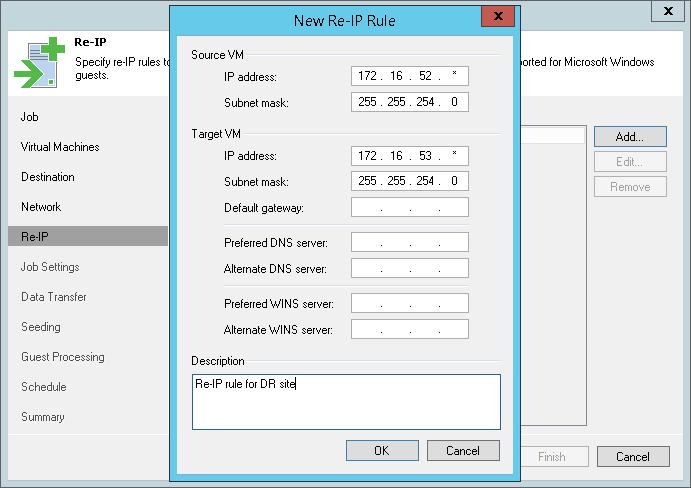
Veeam Backup & Replication is one of the best backup and replication software that you can use them in your virtual environment. Veeam BR be able to IP customization during disaster-recovery and you can have your virtual machines in a DR site with different IP plan. But Veeam BR just support Windows VMs for IP customization or “Re-IP Rule”. So what can we do about Linux virtual machines and others?