Category: Data Center

HPE Power 3

HPE G10 Servers: Best and Optimized Setting for VMware vSphere

Optimizing HPE server configuration is always one of biggest challenges for virtual environments administrators. The administrators always trying to provide best performance by changing configurations on hypervisor, virtual machines or other components or virtual infrastructure. There are best practices which published by server vendors to achieve best performance on their server platform. Server hardware is one most important component in every environment, server provides main power and resource: Computing Resources. Processor and memory and other server’s component made to work almost like as human brain. Some Important Things! Human brain needs consumes about 20 percent of the body’s energy. Consume more energy is equal to more heat in human body. Server components needs energy and cooling, like human body. Energy and cooling needs money. So there is a challenge to keep balance between performance and cost of services in any IT environments. What’s Important About Server Hardware? In fact, processors and cooling system consume most power which provided by power modules. Don’t think about single server, think about hundreds of servers and thousands processors, thousand x 200W! (At least). Best performance has more cost for any environment also needs more maintenance. What’s Best Practices? Best practices are depended to workload...
HPE 0

Change Administrator’s Password for All HPE C7000 Device Bays

HPE C7000 Blade System using Onboard Administrator (OA) KVM module to manage devices and interconnects in chassis. To manage devices directly, OA will redirect to iLO of each device. OA use single sign-on to logon to iLO administration web page. But each server has own administrator user and the user has default password, so if iLO addresses are reachable via network, it’s better to change default password. Think about two or more C7000 chassis with half high blade servers, changing password on 64 servers would be difficult! Onboard Administrator has builtin tool to configure device bays iLO. HPONCFG can change almost all iLO configuration. HPONCFG is also available for different systems and operating systems. Configuration should be as XML format. Example 1: Change Administrator’s Password The below code will change administrator’s password to what you want, just replace “Y0ur Passw0rd” with your password. I’ve tested it on iLO5 and BL460c G10. If you have empty bays, you should run it again after installing new bade server. Also to run on single bay, just replace “all” with bay number. The code must be run via OA, so you should open SSH session to OA module of each C7000 chassis. Example 2:...

1

Using Network Partitioning (NPAR) in VMware ESXi

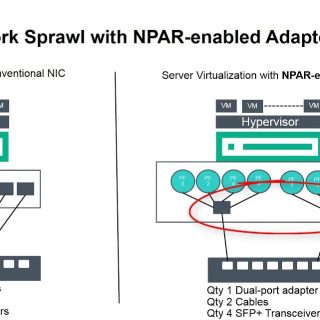
Data Center design is changing year by year, before virtualization all servers was physical and data centers were full of devices and cables. Virtualization helped to make data centers smaller and consolidate different workloads in same hardware. Hardware technologies are also helping to achieve this goal. Network Partitioning (NPAR) is one of hardware technologies which helping to reduce cabling, switch devices and use all I/O capacity in data centers. What’s Network Partitioning (NPAR)? NPAR is an operating system and switch agnostic technology that allows customers to reduce the number of I/O adapters required to support different application workloads. Traditional best practices require separate LAN or SAN connections for different aspects of application workloads. Converged Network Adapters already support widely used SAN protocols like Fibre Channel over Ethernet (FCoE) and iSCSI, administrators can already reduce the number of adapters needed for separate protocols, including separate Fibre Channel and Ethernet adapters. With NPAR, these adapters can now partition their network bandwidth further into multiple virtual connections, making one dual-port adapter appear as eight adapters to the operating system for use by the applications. This greatly simplifies the physical connectivity to the server, reduces implementation time, and lowers the acquisition cost of the...

HPE Fast Fault Tolerance 2

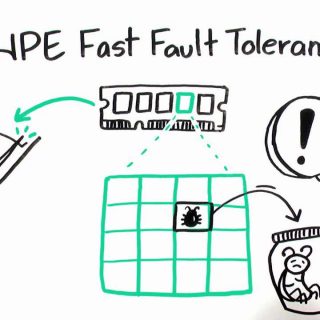
HPE Fast Fault Tolerance vs HPE Advanced ECC Support – Choosing Best Technology!

Memory failure is one of reasons that can be cause of server crash and impact on service availability and performance. Think about a service which including multiple servers, server could be crashed cause of single memory module failure or uncorrectable memory error. Regarding to preventing memory impact of memory errors on services, HPE provides RAS technologies. RAS (reliability, availability, and serviceability) technologies are including: In this post, we’ll compare HPE Fast Fault Tolerance and HPE Advanced ECC Support. Before comparison, let’s find that why we need to memory RAS? Why Memory RAS is needed? Server uptime is still one of the most critical aspects of data center maintenance. Unfortunately, servers can run into trouble from time to time due to software issues, power outages, or memory errors. The three major categories of memory errors we track and manage include correctable errors, uncorrectable errors, and recoverable errors. The determination of which errors are correctable and uncorrectable is completely dependent on the capability of the memory controller. Correctable Errors Correctable errors are, by definition, errors that can be detected and corrected by the chipset. Correctable errors are generally single-bit errors. All HPE servers are capable of detecting and correcting single-bit errors and...

2

HPE Synergy Cabling Guide

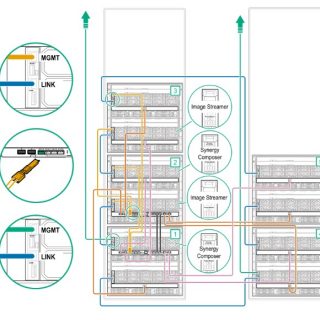
HPE Synergy is a next‐generation data center architectural option, Composable Infrastructure embraces and extends key concepts and traits from the architectures that have come before it, including converged and hyperconverged systems. I don’t know when but seems that HPE will replace HPE Blade System with HPE Synergy in future. Those who worked with HPE Blade System, will confuse about HPE Synergy configuration. Configuration is very different with Blade System at all. Cabling is one of biggest challenges with HPE Synergy. There is many management connection which should connect to the correct ports. Because HPE Synergy is a composable infrastructure so there are some options to have multi-frame configuration which allows companies to resource expansion and service expansion easily. I recommend that design cabling according to service requirements before initializing new hardware. There are some sample configurations for interconnect connections, stack connections, Image Streamer connections and management: Cabling interconnect modules in a single frame with redundancy Cabling master and satellite interconnect modules in multiple frames (non-redundant) Cabling master and satellite interconnect modules in multiple frames (with redundancy) Cabling a single-frame management ring Cabling a multiframe management ring Cabling a single-frame management ring with HPE Synergy Image Streamer Cabling a three-frame management...