Category: Desktop Virtualization
VMware’s engineers published another free tool on VMware Labs. The new fling (VMware Workspace ONE Provisioning Tool) helps you to test and validate applications. Let’s review VMware Workspace ONE Provisioning Tool.
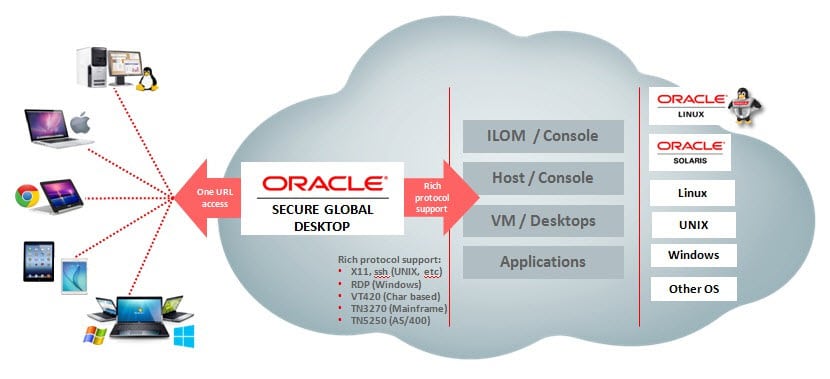
Oracle Secure Global Desktop is a secure remote access solution for any cloud-hosted enterprise application and hosted desktops running on Microsoft Windows, Linux, Oracle Solaris and mainframe servers. Oracle Secure Global Desktop works with a wide range of popular client devices, including Windows PCs, Macs, Linux PCs, Chromebook and tablets such as the Apple iPad and Android-based devices.

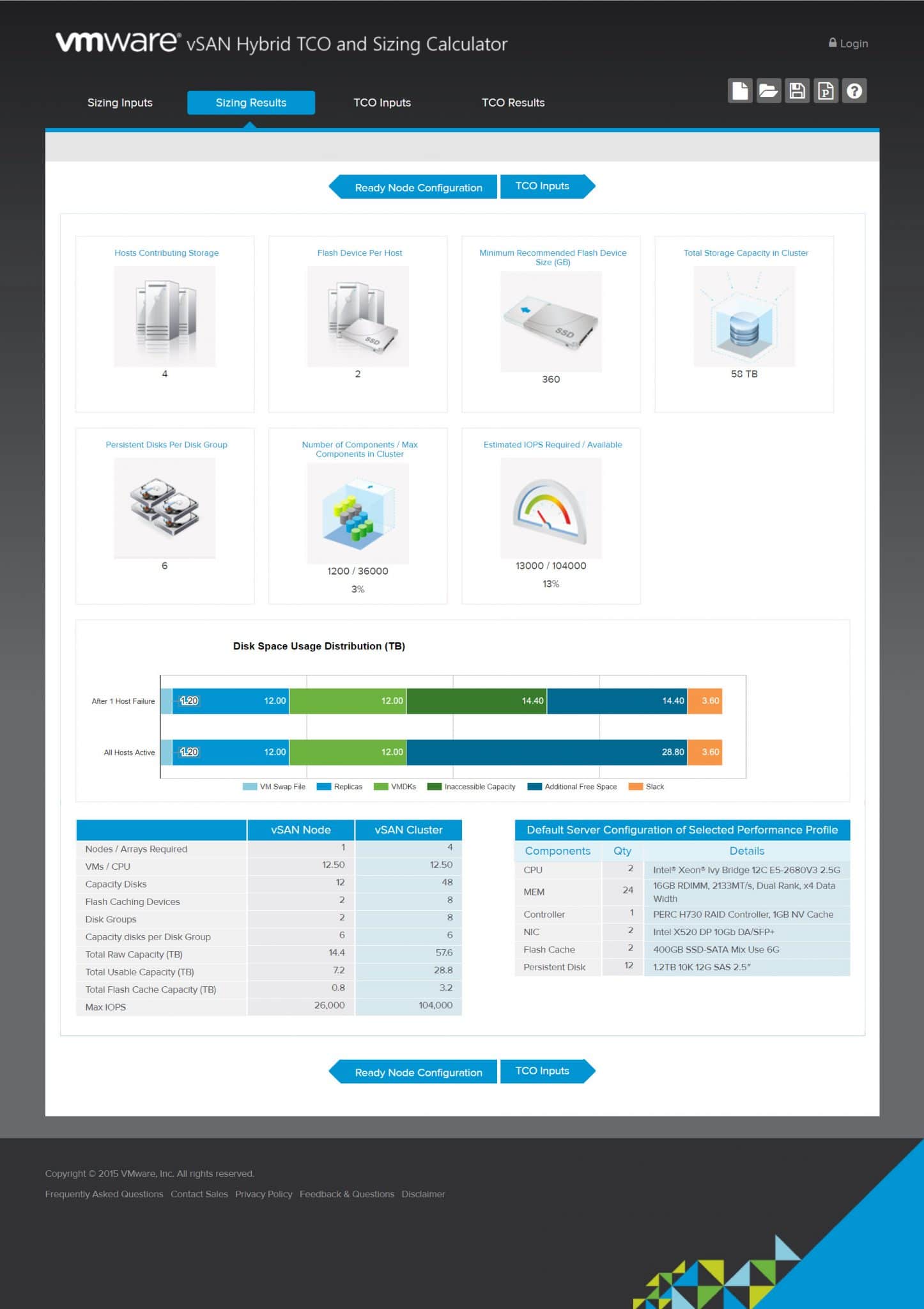
VMware vSAN Hybrid TCO and Sizing Calculator Virtual SAN or vSAN is a software-defined storage (Hyper Converged) for VMware vSphere environments. Main goal of sing vSAN in VMware vSphere environments, is reducing implementing cost. So calculating TCO and device sizing will help to achieve better results. As vSAN technology owner, VMware has provided an online tool for calculating TCO and sizing for vSAN. The online tool is very useful for IT administrator to find cost of vSAN implementation with different scenarios. The online tool has four different sections: Sizing Inputs: You should fill the sizing inputs form with some information about your environment. Sizing Results: The online tool will calculate results according to the sizing inputs and show the result on this section. TCO Input: You should enter required information for Total Cost of Ownership. TCO Results: According to the information, the tool will calculate and shows the result for TCO calculation. Sizing Inputs This section is using for enter virtualization environment specifications. You must specify the some important information for the online tool to calculating vSAN TCO and sizing. The online tool can calculate requirements according to virtualization platform, there is two platforms for calculations: Server Virtualization Desktop Virtualization The online...
The Universal Desktop Converter 3 (UDC3) thin client software provides a highly effective alternative to traditional thin client hardware. The software is installed as the operating system on PCs, notebooks and selected thin clients, and turns the hardware into a powerful softwarebased and universally deployable thin client allowing secure access to almost all centralized IT infrastructures. Users have stable and reliable access to cloud computing services, server-based computing (SBC) applications and virtualized desktops (VDI). The local desktop operating systems are unified and standardized, and are centrally managed by IGEL’s user-friendly Universal Management Suite (UMS), the industry’s leading device management platform. The UDC3 software is available at low cost, the UMS is included for free.
VMware has updated “Network Ports in Horizon 7” and you can download it as a PDF file. You can find all protocols, port numbers and Horizon 7 components connections in this diagram. It helps you to understand communications between components and design your network infrastructure when you want to deploy Horizon 7 in you environment.It’s available on this link: Download