Category: Server Hardware
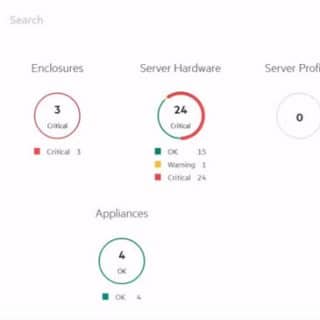
HPE is on of biggest companies which producing data center equipment’s and facilities. HPE has unified management and monitoring suite for server hardware, network devices and storage devices that called HPE OneView. You may have multiple data center at different geographical location and needs to monitoring all devices on same dashboard. Because HPE OneView needs access to any under managed devices via network and it’s recommended that implementing HPE OneView in local site, there are some limitations about managing and monitoring all devices on single instance of HPE OneView. HPE has introduced HPE OneView Global Dashboard for monitoring and managing multiple HPE OneView appliances.

HPE has released the supported ESXi versions as customized images for ProLiant and other HPE server products. There is bad news about HPE ProLiant BL460c. Which Version Have Released? The below versions of HPE Custom Images for VMware Released in January 2021: VMware-ESXi-7.0.1-17325551-HPE-701.0.0.10.6.3.9-Jan2021.iso VMware-ESXi-6.7.0-17167734-HPE-Gen9plus-670.U3.10.6.3.8-Jan2021.iso VMware-ESXi-6.5.0-Update3-17097218-HPE-Gen9plus-650.U3.10.6.3.8-Dec2020.iso Which Hardware Products Not Supported? The mentioned images don’t support installing on the below server products: HPE ProLiant BL460c Gen10 Server Blade HPE ProLiant BL460c Gen9 Server Blade HPE ProLiant BL660c Gen9 Server Blade Which Versions Are Supported on ProLiant BL c-Class Servers? The below versions must be used on ProLiant BL c-Class Servers: VMware-ESXi-7.0.1-16850804-HPE-701.0.0.10.6.0.40-Oct2020.iso VMware-ESXi-6.7.0-Update3-16713306-HPE-Gen9plus-670.U3.10.6.0.83-Oct2020.iso VMware-ESXi-6.5.0-Update3-16389870-HPE-Gen9plus-650.U3.10.6.0.86-Oct2020.iso What Should We Do For Future? Don’t worry, the next releases will be supported on ProLiant BL c-Class Servers. Wait for new releases of HPE Custom Images for VMware. See Also Network Connection Problem on HPE FlexFabric 650 (FLB/M) Adapter References Notice: HPE c-Class BladeSystem – The HPE Custom Images for VMware Released in January 2021 Are Not Supported on ProLiant BL c-Class Servers
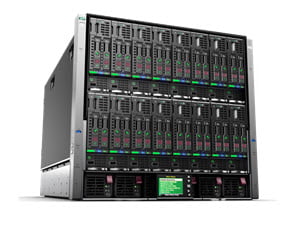
We have many HPE Blade System C7000 chassis for hosting our virtual infrastructures or our customers virtual infrastructures. Also many of them are filled with HPE ProLiant BL460c Gen10. Recently, we had serious problem with some of the servers about network connection, if there was FlexFabric 650 (FLB/M) adapter installed on blade server. What’s Exact Problem? Our servers were working fine but after a while, we lose our vMotion network connectivity, the hosts couldn’t migrate virtual machines even between servers in same C7000 chassis. The problem was happened on one chassis and other chassis has no problem. Network adapter was connected physically but it don’t pass any network traffic, the issue some like ARP problem! Also network adapter status was Degraded in iLO web administration. List of All Attempts to Recovering Issue Try this, ask IT guy about network problem on network card, one hundred percent sure that IT guy will say: Upgrade firmware, update driver, upgrade ….! So, I did it! 😀 Let’s review the list: Upgrade Firmware for FlexFabric 650M and FlexFabric 650FLB. Update Driver (ESXi). Turn off, turn on virtual connect modules. Unassign and reassign server profiles. Check all configurations and compare with other chastises. Re-seat one...
Seems, there is an issue on HPE Blade Servers when a specific adapter is installed on server. If there is any server of the below models in your virtual environment that you should consider to this post: HPE ProLiant BL460c Gen10 Server Blade HPE ProLiant BL460c Gen9 Server Blade HPE ProLiant BL660c Gen9 Server HPE servers running VMware ESXi 6.0, VMware ESXi 6.5 or VMware ESXi 6.7 and configured with an HPE FlexFabric 20Gb 2-port 650FLB Adapter with driver version 12.0.1211.0 (or prior), a “wake NOT set” message is logged in the Vmkernel logs. Then after 20 to 30 days of server run time, a Purple Screen of Death (PSOD) may display a brcmfcoe: lpfc_sli_issue_iocb_wait:10828 message. The following errors are displayed in the VMkernel logs after approximately 50 to 70 days of server run time: 2019-07-20T00:46:10.267Z cpu33:69346)WARNING: brcmfcoe: lpfc_sli_issue_iocb_wait:10828: 0:0330 IOCB wake NOT set, Data x24 x0 2019-07-20T01:10:14.266Z cpu33:69346)WARNING: brcmfcoe: lpfc_sli_issue_iocb_wait:10828: 0:0330 IOCB wake NOT set, Data x24 x0 2019-07-20T02:16:25.801Z cpu33:69346)WARNING: brcmfcoe: lpfc_sli_issue_iocb_wait:10828: 0:0330 IOCB wake NOT set, Data x24 x0 2019-07-20T02:22:26.957Z cpu33:69346)WARNING: brcmfcoe: lpfc_sli_issue_iocb_wait:10828: 0:0330 IOCB wake NOT set, Data x24 x0 2019-07-20T03:26:39.057Z cpu11:69346)WARNING: brcmfcoe: lpfc_sli_issue_iocb_wait:10828: 0:0330 IOCB wake NOT set, Data x24 x0 2019-07-20T04:06:46.158Z cpu11:69346)WARNING: brcmfcoe: lpfc_sli_issue_iocb_wait:10828: 0:0330...
Join me to review Intel Hyper-Threading and AMD SMT. In the past but not so long, just before 2001 and before design first multi-core CPU, processors had one core. Intel, AMD and others they tried to increase transistors and frequency in processors. Result of one core CPU was processing single thread at time, the thread might not take all CPU time. Multi-Core processors and multi-threading helping to processing more than one task or process at a time. Today, processors have more cores and also have features to doing multi-threading. Intel Hyper-Threading This technology is a form of simultaneous multithreading technology introduced by Intel, while the concept behind the technology has been patented by Sun Microsystems. Architecturally, a processor with Hyper-Threading Technology consists of two logical processors per core, each of which has its own processor architectural state. Each logical processor can be individually halted, interrupted or directed to execute a specified thread, independently from the other logical processor sharing the same physical core. Unlike a traditional dual-processor configuration that uses two separate physical processors, the logical processors in a hyper-threaded core share the execution resources. These resources include the execution engine, caches, and system bus interface; the sharing of resources allows two logical...