Category: Operating System
VI If you are familiar with Linux shell, I’m sure that you have used “vi” for editing your documents but the tool is very difficult, if you are beginner in Linux. I want to share some keyboard shortcuts that you can use for edit your files faster. Quitting : x Exit, saving changes :q Exit as long as there have been no changes ZZ Exit and save changes if any have been made :q! Exit and ignore any changes Inserting Text i Insert before cursor I Insert before line a Append after cursor A Append after line o Open a new line after current line O Open a new line before current line r Replace one character R Replace many characters

Yum Server Sometimes, you need to update single package on your Linux (Oracle – RedHat) and you have to search and find RPM file on this regard or compile the package from its source code. But we are talking enterprise Linux servers that you can’t accept any risk of installing miscellaneous or unreliable package on your server. So you need to have safe and secure source for installation or upgrade. Maybe, you are thinking about YUM! Yes, you can update your application by run Yum but if your server has no connection to internet! There is many solution for updating Linux packages but we are talking about a single application and some special conditions. Hopefully, Oracle has a service that called “Yum Server” and the service is free for use by anyone. Oracle Yum Server offers you a free and convenient way to install the latest Oracle Linux packages as well as packages from the Oracle VM installation media via a yum client. Please consider that this service deliver no support to you and just you can download updated packages from that.
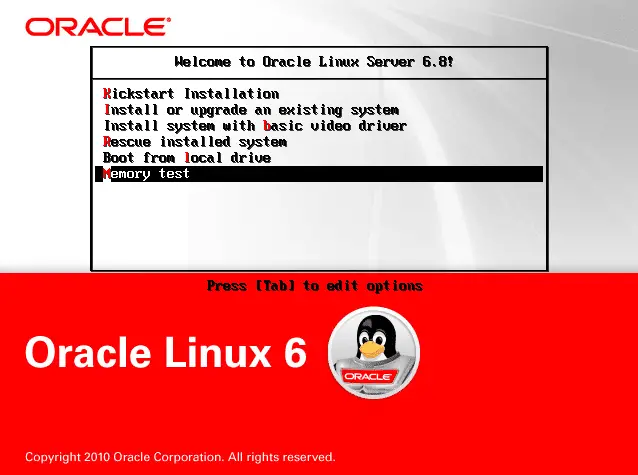
Kickstart installations offer a means to automate the installation process, either partially or fully. Kickstart files contain answers to all questions normally asked by the installation program, such as what time zone you want the system to use, how the drives should be partitioned, or which packages should be installed. Providing a prepared Kickstart file when the installation begins therefore allows you to perform the installation automatically, without need for any intervention from the user. This is especially useful when deploying Red Hat Enterprise Linux on a large number of systems at once. Kickstart files can be kept on a single server system and read by individual computers during the installation. This installation method can support the use of a single Kickstart file to install Linux on multiple machines, making it ideal for network and system administrators. All scripts and the log files of their execution are stored in the /tmp directory to assist with debugging installation failures. Note You must read your distribution documents about fresh installation and upgrading current OS because some distributions don’t support upgrading via KickStart. How Do You Perform a Kickstart Installation? Kickstart installations can be performed using a local DVD, a local hard drive, or via NFS, FTP,...
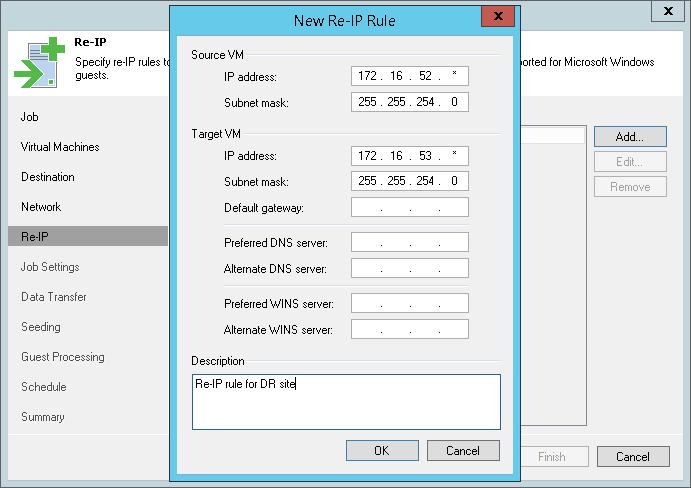
Veeam Backup & Replication is one of the best backup and replication software that you can use them in your virtual environment. Veeam BR be able to IP customization during disaster-recovery and you can have your virtual machines in a DR site with different IP plan. But Veeam BR just support Windows VMs for IP customization or “Re-IP Rule”. So what can we do about Linux virtual machines and others?
I have this issue on my physical machine when NAC Agent is installed on them and sometimes, we faced with “There are currently no logon servers available to service the logon request“. The issue was happened randomly and we have to restart the machine for resolving issue. Microsoft has published a KB and you can read the solutions for the problem: Netlogon Event ID 5719 or Group Policy Event 1129 is logged when you start a Domain Member Also a hotfix has been released for Windows 7 about DHCP relay agent delay, I suggest that installed the hotfix on your clients: Event ID 5719 and event ID 1129 may be logged when a non-Microsoft DHCP Relay Agent is used